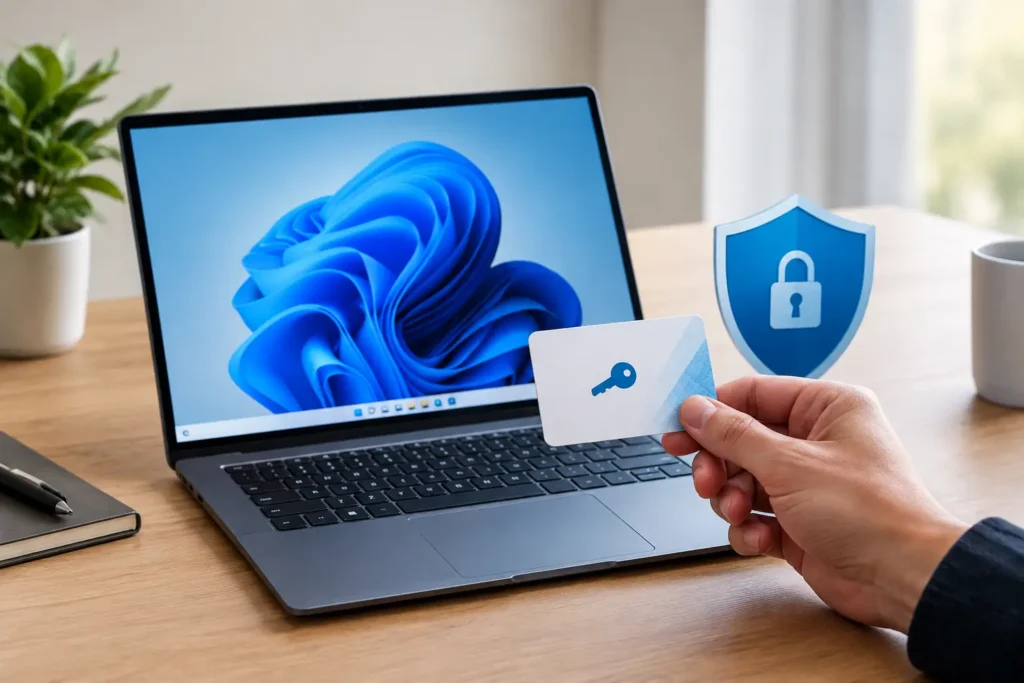
A new PC should not leave you staring at an activation reminder. When you buy windows 11 product key online, the goal is simple: get the right edition, receive the code quickly, activate without confusion, and know there is real help available if something does not go as planned.
For home users, students, remote workers, and small businesses, Windows is the foundation for everything else. It is where you manage files, join video calls, run desktop software, and protect the work that matters. That makes the source of your product key just as important as the price.
Why a Windows 11 key is worth getting right
Windows 11 can be installed before activation, but that is not a long-term solution. An unactivated copy may display a watermark, limit personalization settings, and keep reminding you to activate. More importantly, a genuine, properly activated license gives you confidence that your computer is set up for everyday use.
The cheapest listing is not always the best value. A product key that arrives with no instructions, unclear edition details, or no response when activation fails can quickly turn a bargain into wasted time. Look for a seller that clearly explains what you are buying, delivers the code by email, and stands behind it with activation assistance and replacement or refund protection for failed keys.
Digital delivery is especially useful when you need Windows now. There is no box to wait for, no shipping charge, and no trip to the store. After checkout, you should receive your key and installation or activation guidance in your email, often within minutes.
Buy Windows 11 Product Key: Home or Pro?
The most common mistake is buying a key for an edition that does not match the Windows edition installed on the PC. A Windows 11 Home key activates Windows 11 Home. A Windows 11 Pro key activates Windows 11 Pro. They are not interchangeable activation codes.
Windows 11 Home is a practical fit for most households
Windows 11 Home is designed for personal computers used for school, streaming, browsing, gaming, email, and everyday work. If you use Microsoft Office, cloud storage, web apps, and standard personal software, Home is often the right choice. It gives most users the features they need without paying for business-focused tools they may never use.
It is a strong value for a family laptop, student desktop, or a personal computer used for remote work. Before purchasing, check the edition listed under Settings, then System, then Activation. Matching the key to that edition prevents a frustrating activation error later.
Windows 11 Pro gives business users more control
Windows 11 Pro is built for users who need additional work and security features. It can be a better choice for freelancers, consultants, small-business owners, and users managing professional devices. Pro includes capabilities such as BitLocker device encryption, Remote Desktop hosting, Hyper-V virtualization, and domain or work-account management options.
That does not mean Pro is automatically better for every buyer. If you will not use those features, Home may be the smarter purchase. But if you need to remotely access your office PC, protect sensitive client files, or prepare a computer for business growth, the extra flexibility of Pro can be worthwhile.
Check your PC before you order
A product key activates Windows. It does not make an older computer compatible with Windows 11. Before you buy, confirm that your device meets Microsoft’s Windows 11 hardware requirements, including a supported processor, TPM 2.0, Secure Boot capability, sufficient memory, and storage space.
If your PC already runs Windows 11 but shows an activation notice, your main concern is the installed edition. If you are building a PC or replacing a hard drive, you will also need installation media. A trusted seller should provide clear instructions so you know whether to install Windows first and enter the key afterward, or activate an existing installation.
Also consider how you plan to use the license. A one-time-purchase Windows license is a good match for buyers who want a long-term solution for one computer without a monthly subscription. It is different from a Microsoft 365 plan, which is a recurring subscription for productivity apps and services. Knowing that distinction keeps your software costs predictable.
What a safe digital purchase should include
Buying a Windows key online should feel straightforward, not risky. Start with transparent product information. The listing should state the Windows version and edition, whether it is a one-time purchase or subscription, and what you will receive after payment.
Secure checkout matters, but so does post-purchase support. You want a digital retailer that can answer simple questions in plain English: Where is my key? Which activation screen should I use? What does this error mean? Can I get help if the code does not activate?
A dependable purchase experience typically includes email delivery, activation instructions, access to your order history, and a clear policy for keys that fail to work. At Tech Shop Pro, the focus is on genuine activation keys, fast email fulfillment, secure payments, and support from real people when customers need it.
Be cautious with offers that seem designed to avoid basic questions. If a seller will not identify the edition, provides no support path, or makes vague promises without explaining delivery and protection, move on. Saving a few extra dollars is not worth losing the time you need to spend fixing a bad purchase.
How to activate your Windows 11 product key
Once your product key arrives, activation usually takes only a few minutes. On a computer with Windows 11 installed, open Settings, select System, and choose Activation. Find the option to change the product key, enter the 25-character code exactly as provided, and follow the prompts.
Keep your confirmation email and key in a secure place after activation. Your account order history can also be helpful if you need to locate purchase details later. Do not post your product key in a screenshot, forum, social media post, or support request. Treat it like a password because anyone who sees it may try to use it.
If activation does not work immediately, do not assume the key is bad. First, confirm that you entered every character correctly and that the installed edition matches the key. Common mix-ups include confusing Windows 11 Home with Pro, using a key on a different device than intended, or mistyping characters such as B and 8.
If those checks do not solve the problem, contact the seller’s support team with your order details and the exact error message. A service-oriented retailer should help investigate the issue and provide the stated replacement or refund protection when a key cannot be activated as promised.
Get the value without the guesswork
Windows 11 does not have to be a full-price, complicated purchase. The right key gives your PC a properly activated foundation while keeping your budget focused on the software and hardware you actually need. Choose the edition that fits your device and work style, buy from a source that explains the purchase clearly, and keep support within reach. Then you can get back to using your computer instead of troubleshooting it.